Craft Pattern Maker: Turn Photos into Charts You Can Actually Follow
Craft Pattern Maker builds free browser tools for yarn crafters. Upload a photo, get a stitchable color chart with a numbered grid, unique symbols per color and a full legend — nothing is ever uploaded to a server.
Tools
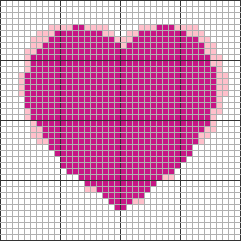
Crochet Pattern Generator
Turn any photo into a crochet color chart for tapestry, C2C and graphghan projects. Numbered grid, symbol view, color legend and size estimate.
Coming soon:Knitting chart makerCross stitch pattern makerPerler bead pattern maker
About
What is Craft Pattern Maker?
Craft Pattern Maker is a free online craft pattern maker: a set of browser tools that convert your own images into color-block charts you can follow stitch by stitch. Every chart comes with a numbered grid, a unique symbol for each color, and a legend with stitch counts — the same format crafters have used on paper for decades, generated in seconds.
Unlike downloadable pattern libraries, the charts here are made from your photos, so every pattern is one of a kind. Unlike desktop charting software, there is nothing to install, nothing to configure and nothing to sign up for. And unlike converters that make you upload your picture to a server, this craft pattern maker does all of its processing on your own device — your photo never leaves your browser.
The numbers are concrete: charts from 10 to 150 stitches wide, 2 to 20 yarn colors, three chart views (color, symbols, or both), adjustable brightness, contrast and smoothing, and a finished-size estimate based on your own stitch and row gauge. Every chart you generate is free to download, with no daily limits and no watermark covering the grid — just a small corner credit.
Crafts
One grid, many crafts
A color-block chart is the shared language of grid-based crafts. The same photo-to-chart engine will power a dedicated tool for each craft:
CrochetLive
Tapestry, corner-to-corner (C2C) and graphghan projects follow the chart square by square. Available now.
KnittingSoon
Colorwork charts for intarsia and stranded knitting, with stitch-and-row aware sizing. Coming soon.
Cross stitchSoon
Symbol charts in the classic black-and-white printable style, with floss color matching. Coming soon.
Perler beadsSoon
Pegboard-sized charts with per-color bead counts for fuse bead projects. Coming soon.
Sizing
How a chart becomes a finished size
Every grid craft turns squares into fabric, but each one measures density with a different number. That number — not the grid itself — decides how big the finished piece comes out:
- Crochet & knittingGauge
- Stitches and rows per 4 in (10 cm), worked in your own yarn with your own hook or needle. Two people following the same chart get different sizes.
- Cross stitchFabric count
- Stitches per inch, named on the fabric itself: 14-count Aida works 14 stitches to the inch, so the count is fixed before you start.
- Fuse beadsBead pitch
- Set by the bead, not by you. Standard 5 mm beads sit on a 5 mm pegboard grid, so the size is decided the moment you pick the bead.
Of those three numbers, only the first is yours to change — which is why every tool here asks for your own swatch instead of assuming one. Gauge conventions across the site follow the Craft Yarn Council standards.
The contrast is easy to check: the same 100-square-wide chart finishes about 7 in across on 14-count Aida, and about 20 in (50 cm) across in 5 mm fuse beads. That is why you choose chart width in stitches first, and read the finished measurement afterwards from your own gauge or count. Every tool here reports that measurement before you start, so you can resize the grid instead of discovering the mismatch halfway through a project.
Good to know
Craft pattern maker FAQ
- What does the craft pattern maker actually produce?
- A color-block chart: a grid where every square is one stitch (or bead) in one color, plus a legend listing every color with its symbol and count. You read it exactly like a printed chart from a pattern book — bottom-up, square by square.
- Is Craft Pattern Maker free?
- Yes. Generating charts and downloading them as a PNG with a small corner credit is free, with no account and no daily limits. We plan to add optional paid extras such as printable PDF exports later, but the core tools stay free.
- Which crafts are supported right now?
- The crochet pattern generator is live today and works for tapestry crochet, C2C and graphghans. Knitting, cross stitch and perler bead tools are planned next and will share the same photo-to-chart engine.
- Do I need to create an account?
- No. Every free tool works without signing up. Since your images are processed entirely in your browser, there is no upload step that would need an account in the first place.
- Can I use any photo?
- You can upload any PNG, JPG or WebP that you own or have the right to use. Simple, high-contrast images convert best. Your photo never leaves your device — see our Privacy Policy.
Your photos stay on your device
All image processing happens in your browser with the Canvas API. Photos are never uploaded, stored or shared — see our Privacy Policy for details.