Free · No sign-up · Runs in your browser
Crochet Pattern Generator: Turn Any Photo into a Crochet Chart
Upload a photo and this free crochet pattern generator turns it into a color-block chart you can follow stitch by stitch — numbered grid, a symbol view for easy counting, and a full color legend. Everything runs in your browser: your photo is never uploaded to any server.
Quick presets
4–8 colors for a first project, 10–20 for portraits
Removes single isolated stitches. Turn off to keep tiny details.
See it in action
From image to chart
Three sample images converted by this generator — each chart is 40 stitches wide. Your photos go through exactly the same process.
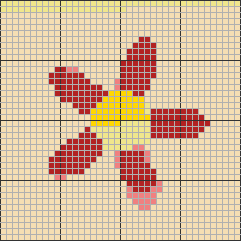
Flower · 40 × 40 stitches
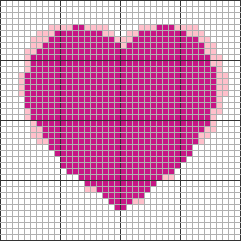
Heart · 40 × 40 stitches
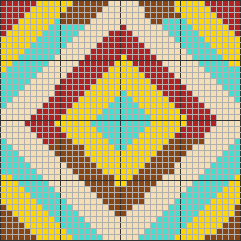
Geometric · 40 × 40 stitches
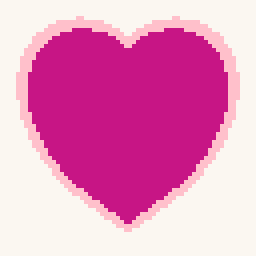
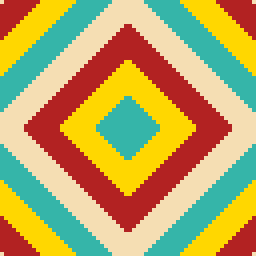
Sample images are algorithmically generated.
How it works
How to turn a photo into a crochet chart
- 1
Upload your photo. Choose a PNG, JPG or WebP image up to 10 MB. Simple, high-contrast photos with a clear subject work best.
- 2
Set your chart size and colors. Pick how many stitches wide your chart should be (10–150) and how many yarn colors to use (2–20). Fewer colors means an easier project.
- 3
Preview the chart. The generator converts your photo into a stitch grid. Switch between color view, symbol view, or both — every color has a unique symbol so the chart works even in black and white.
- 4
Check the legend and download. The color legend lists every yarn color with its symbol and stitch count. Download your chart as a PNG and start crocheting.
What's inside
What you get
Numbered stitch grid
Charts up to 150 stitches wide and 200 rows tall, with rows and stitches numbered every 10 lines so you never lose your place while working.
Symbol view for easy counting
Every color gets a unique symbol. Print the symbol view in black and white and the chart stays fully readable — the traditional way charts are made.
Color legend with stitch counts
Pick 2 to 20 yarn colors; each shows its name, symbol, number of stitches and share of the chart, so you can plan your yarn before you start.
Finished size estimate
Enter your own stitch and row gauge (per 4 in / 10 cm) and see the estimated finished size in inches and centimeters.
Private by design
The whole conversion happens in your browser. Your photo is never uploaded, stored or shared.
Free PNG download
Download your finished chart as a PNG with a small corner credit — free, with no sign-up and no daily limits.
Techniques
Works for Tapestry, C2C and Graphghan Projects
The chart this crochet pattern generator produces is a color-block grid: every square is one stitch in one color. That is exactly the kind of chart used for tapestry crochet, corner-to-corner (C2C) blankets, and graphghans — follow the grid square by square in the technique you prefer.
Because squares in the chart are square, techniques whose stitches come out roughly square — like C2C blocks or single crochet worked in the round for tapestry — will reproduce the picture most faithfully. If your stitch gauge and row gauge differ a lot, the finished piece will appear stretched or squashed compared to the preview; use the size estimate with your real gauge to check proportions before you start.
Gauge here is measured as stitches and rows per 4 in (10 cm), following the Craft Yarn Council standards.
Why the chart adds up
Algorithmic accuracy, not AI guesswork
No language model writes your chart. This generator measures your photo: the image is resampled to the stitch width you chose, each grid square is averaged from the pixels underneath it, those colors are grouped with a median-cut quantizer, and every group is matched to its closest yarn color in CIE Lab space. Optional smoothing then clears single stray stitches. Every step is fixed arithmetic with no random element — put the same photo through the same settings next month and you get the same chart, square for square.
For a crafter that difference is practical rather than philosophical. A chart is a counting document, and the legend here counts instead of estimating: every square is assigned to exactly one color, and the per-color stitch counts in the legend always add up to the total number of squares in the grid. No step in between invents a number that you would have to verify before trusting it with a weekend of yarn.
What arithmetic cannot do is judge taste. The tool will never add stitches you did not ask for, but it also will not tell you that a busy photo needs fewer colors or a wider grid. That call stays yours — which is why the live preview, the smoothing control and the finished-size estimate all sit in front of the download button rather than behind it.
Good to know
Crochet pattern generator FAQ
- How do I turn a photo into a crochet pattern?
- Upload your photo, choose the chart width in stitches and how many yarn colors you want, and the generator converts it into a crochet color chart with a numbered grid and legend. You can then download the chart as a PNG. The whole process takes a few seconds and happens entirely in your browser.
- Is this crochet pattern generator free?
- Yes. Generating charts is free and unlimited, and downloads are full-resolution PNGs with a small corner credit. We plan to add optional paid extras like printable PDF export later, but the core generator stays free.
- Is this an AI crochet pattern generator?
- No, and that is deliberate. This is a deterministic image converter: it reads the pixels of your photo and maps them onto a stitch grid using fixed color math, so the same photo with the same settings always produces the same chart. It does not use a language model to write row-by-row instructions, which means there are no invented stitch counts to double-check. If you were hoping to type a description and have a written pattern produced for you, that is a different kind of tool — this one starts from an image you already have.
- What kind of photo works best?
- Photos with a clear subject, strong contrast and a simple background convert best. Logos, pixel art, pets and portraits with good lighting all work well. Very busy or dark photos can look muddy at small chart sizes — try increasing the stitch width or reducing the number of colors.
- How many colors should I choose?
- For a first project, 4–8 colors keeps yarn management simple. Portraits usually need 10–20 colors to look right. Fewer colors also means fewer yarn changes and less weaving in of ends.
- What size will my finished blanket be?
- That depends on your yarn, hook and personal tension. Crochet gauge is measured as stitches and rows per 4 inches (10 cm), and they are usually different numbers. Enter both in the size estimate and the tool calculates the finished width and height for your chart in inches and centimeters.
- Can I sell things I crochet from my chart?
- Charts you generate from your own photos are yours to use for personal projects. For selling finished items and other commercial uses, please check the usage terms on our Terms page — and make sure you own the rights to the photo you upload.
- Do you upload or store my photos?
- No. The generator runs completely in your browser using the Canvas API. Your photo is never sent to our servers, never stored, and never shared. You can even generate charts while offline once the page has loaded.
Updates
What's new in this crochet pattern generator
Last updated: July 22, 2026
- Brightness and contrast controls to rescue dark or flat photos
- Smoothing to remove single isolated stitches (fewer yarn changes)
- Fit / Zoom chart views, so charts stay readable on phones
- Sample gallery and one-click example image
Pattern usage
Charts you create from your own images are yours for personal use. You are responsible for making sure you have the rights to any image you upload. Full usage terms, including commercial use of finished items, are on our Terms page.